Five more things to know about how AI reads your employer brand.
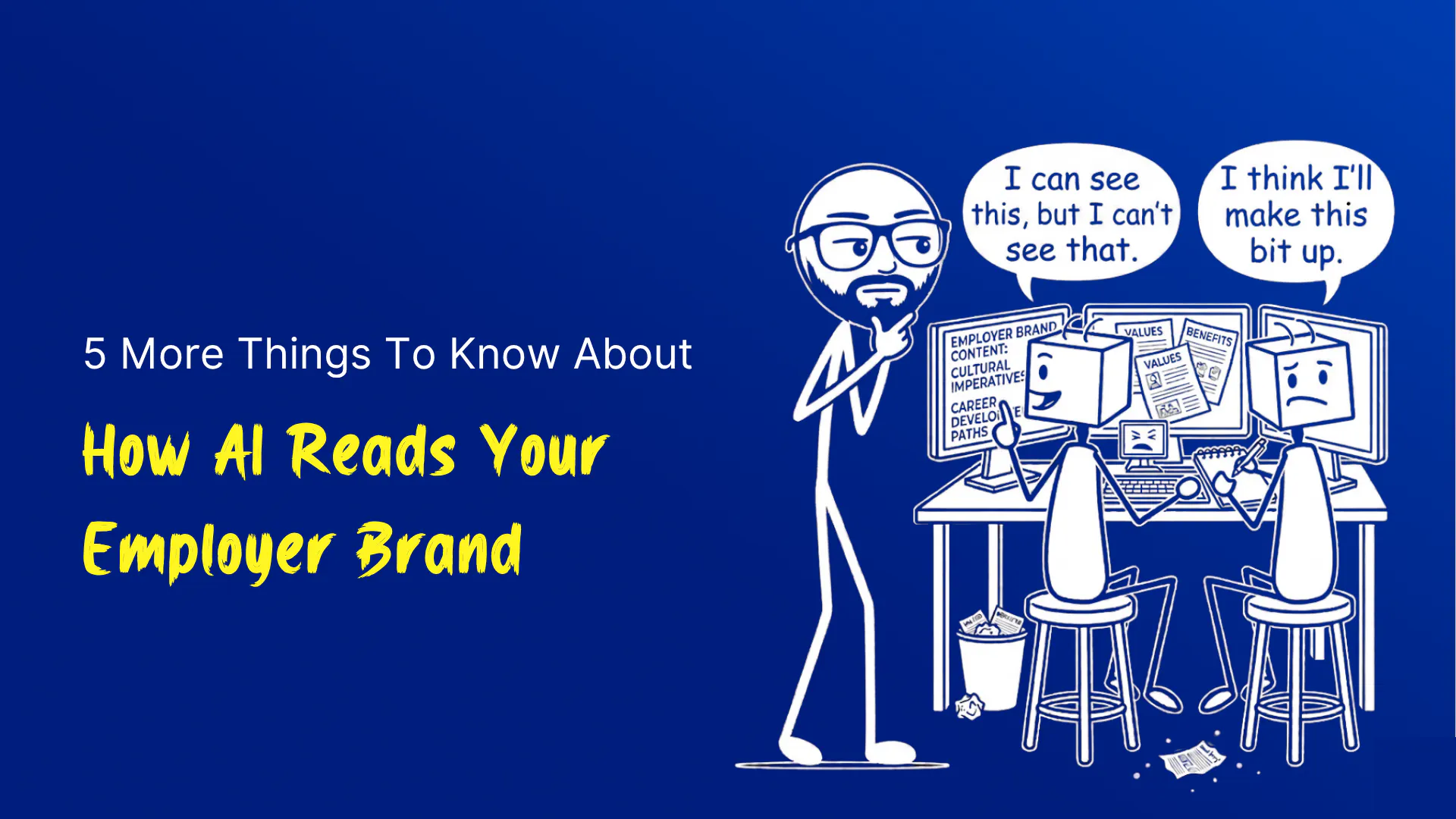
In the last post I shared five things I'd learned from four weeks of trying to teach AI to read employer brand content. Here are five more.
These are different in flavour. The first post was mostly about your content - what AI sees, what it misses, what to fix. This one is more mixed. Two more things about how AI reads your site. And three about how to read what AI tells you when YOU use it to research other companies - because if you're using ChatGPT or Claude or any AI research tool to evaluate competitors, the same probabilistic weirdness applies in reverse.
If you missed the first post, it's here.
A few things to flag upfront. This post strays into how websites actually work, which means a handful of technical terms. If you're not in IT, that's fine. None of this is complicated once you have the picture, and I'd rather take a minute to explain than lose you halfway through. So here's the short translation guide before we start:
Server-rendered vs client-rendered web pages. When you ask a website for a page, the website sends a response. There are two ways the response can arrive. The first way - the website sends back a finished, ready-to-read page. Like ordering a takeaway and the meal arrives plated. That's "server-rendered".
The second way - the website sends back a kit of parts and a set of instructions, and your browser quietly assembles the page in front of you. Like ordering flat-pack furniture and assembling it on your living room floor. That's "client-rendered".
For human visitors, both feel the same. The page appears, you read it, you click around. AI scrapers - the bits of software that AI tools use to read websites - see a difference. They tend to look at what arrives in the box. If the box is flat-pack, they often see only the parts, not the assembled page.
HTML. The text-and-structure version of a web page. Behind every page on the internet there's HTML. It's what AI reads.
JavaScript. The thing that makes a web page interactive. Drop-downs, animations, content that loads when you scroll, "Load More" buttons - all JavaScript. JavaScript runs in your browser after the page has arrived. Most AI scrapers don't run JavaScript, or don't wait long enough for it to finish.
The four quadrants. The platform I'm building positions every employer brand on a four-square map. Standout (proves it and owns it). Smooth Talker (sounds good, says nothing). Communication Cloner (says nothing, the same way as most others). Hidden Gem (specific details but clichéd language). Where AI thinks your employer brand sits.
Diff. The differences between two versions of something. Imagine Track Changes in Word, but for an AI tool telling you what's different about a competitor's content this month versus last month.
That's enough vocab. Now the lessons.
1. If your jobs are loaded by JavaScript, AI may see none of them.
Quick recap of the thing we just translated: there are two ways a web page can arrive in your browser. Server-rendered (a finished page arrives) or client-rendered (a kit of parts arrives, your browser assembles it). Both work fine for humans. AI scrapers see a difference.
If your careers page is server-rendered, AI sees all the content. Job titles, descriptions, locations, departments. Visible.
If your careers page is client-rendered, what AI sees first is the kit, not the assembled page. Imagine opening a flat-pack furniture box and finding only the assembly instructions, with no parts inside yet - they get poured in later, but only if you wait. AI scrapers usually don't wait. They look in the box, see no parts, take a snapshot of "empty box", file it, move on.
We hit this directly while testing. Miro's "Open Positions" page - jobs invisible until our scraper sat on the page for an extra few seconds waiting for JavaScript to finish. Atlassian - same pattern. Wise - half the listings missing on the first scrape. Several other enterprise sites we'd love to test on, same. To AI candidate research, those companies look like they have zero open roles, which tells the AI nothing about whether the company is hiring, what kind of culture they have, or whether to recommend them to a candidate.
What it means for you:
You might have 50 great roles on your careers site. To AI candidate research, they may not exist. Not because the jobs aren't good. Because the page literally doesn't show them to anything that isn't a fully loaded browser.
What to do:
Ask your dev team a single question. "Are our job listings server-rendered or client-rendered?" If the answer is "client-rendered", or anyone says "React" or "single-page app" without immediately adding "with server-side rendering on", you might have an AI-visibility problem worth fixing.
The technical fix is server-side rendering, static rendering, or at minimum proper structured data (a small piece of code attached to each job that AI can read directly without any assembly required).
Enjoying this? I can pop the next one in your inbox if you'd like.
The business fix is making sure the people choosing your tech stack know that AI candidate research is a real channel now, and "the page works in Chrome" isn't a sufficient bar for a careers site in 2026.
2. AI reads your URL before it reads your content.
When our scraper landed on a page, the first thing it did wasn't read the page. It looked at the URL.
`/values` got classified as identity content before a single word was read. `/team` got classified as people content. `/jobs/12345` got classified as a job ad. `/careers` got classified as employer narrative. `/marketing/about-us-2024-rebrand` got classified as not-employer-brand and largely ignored.
Think of it like this - AI is sorting pages into folders the same way you might sort post into "bills", "personal", "junk". The fastest way to sort is by reading the envelope, not the letter inside. The URL is the envelope. The page content is the letter. AI reads the envelope first because URLs are reliable; the text inside the page is harder to classify and (for reasons we covered last time) inconsistent. Most AI tools doing competitive research use exactly this kind of envelope-first shortcut.
What it means for you:
Where your content sits on your site changes how AI categorises it. Your "Our Values" page at `/careers/values` is recognised as employer brand content. The same page at `/marketing/brand-refresh-2024/values-update` reads as marketing fluff and may not get used at all when AI summarises your employer brand for a candidate.
What to do:
Pull up your careers content. Look at the URLs. If anything important is buried under marketing-campaign URLs or inherits old infrastructure paths from a website redesign three years ago, move it.
The descriptive structure is `/careers/[descriptive-thing]`. So `/careers/values`, `/careers/life-at-[company]`, `/careers/team`, `/careers/our-people`. Predictable, descriptive, visible.
The URL is your free SEO (how you show up in Google) and your free GEO (how you show up when AI tools answer questions about you). Most companies are giving the second one away without realising it exists.
3. When AI is wrong, it's wrong with full confidence.
You will, at some point, ask ChatGPT or Claude to compare two competitors for you. The answer will be detailed, well-organised, and confident. Some of it will be wrong, and you will not be able to tell which parts.
We hit this concretely. Our scoring engine evaluated one company's job adverts and gave them a "this looks like the scraper returned garbage" score - the kind of low score we usually see when a cookie banner or error page got accidentally analysed instead of real content. Our defensive guardrail rejected the result. But on inspection, the job ads were genuinely scraped. They were just genuinely generic. The AI was right; our suspicion that the AI was wrong was wrong. A bland competitor really does look like broken data to a scoring engine.
The flip side - where the AI is wrong but sounds right - is more common. AI tools will confidently report "competitor X has a strong commitment to flexible working" based on a single phrase repeated three times across the careers site, the about page, and a 2019 press release. A human reader would see boilerplate. AI sees a recurring theme. It writes that recurring theme up as a positioning insight, in nicely organised prose, with bullet points.
What it means for you:
A competitive analysis from a single AI query is one data point with a confidence-bias problem attached. It looks more reliable than it is. The polished prose makes the holes harder to find, not easier.
What to do:
Triangulate. Ask the AI the same question on three different days. Spot-check the answer against the actual source pages.
If you're using AI to make hiring decisions or positioning calls, treat its output as a draft from a junior analyst - useful, often right, sometimes confidently wrong, and always in need of a sanity-check before it gets quoted in a board paper. The AI's confidence is not a reliability signal. Read it that way.
4. AI's category call is reliable. Its precise score can be noise.
A bit of setup needed for this one.
When putting a company through my tool I typically got back three different kinds of finding.
First, a categorical call. A label, a bucket, a "what kind of thing is this?" judgement. Things like "this is a Caregiver brand" or "the dominant theme across their content is autonomy". Reliable.
Second, a positional call. The company gets placed in a category on the platform's map. Things like "they sit in the Standout quadrant" or "they're in the top-right of the positioning chart". Mostly reliable. Companies sitting right on the line between two categories are sometimes noisy.
Third, a precise score. A number on a scale, often with a decimal place. Things like "they scored 67 out of 100" or "their score moved from 71 to 78 last month". This is the kind of output that LOOKS most rigorous, because it has a decimal place and feels like the sort of thing you could put in a board paper. It's also the kind most prone to noise.
When I ran the same companies through my scoring engine multiple times on the same content, the categorical and positional calls stayed stable across runs - 11 of 11 companies came out as the same archetype, 10 of 11 stayed in the same quadrant. The precise scores underneath drifted. Sometimes by 1 or 2 points. Once by 9. Same content. Same code. Different specific number.
In other words - the most defensible-looking output - the one with the decimal place - is the most prone to noise. The category the number sits inside is far more reliable than the exact number itself.
What it means for you:
When an AI tool tells you something categorical about a competitor - i.e., in my tool's case, - "they're a Caregiver brand", "they sit in the Standout quadrant", "their voice is informal" - that's trustworthy. When it gives you a precise number on some dimension or other, the decimal point is doing more work than it's earned. The category is the signal; the coordinates are noise.
What to do:
When reading any AI competitive analysis, focus on categorical findings. Themes. Archetypes. Quadrants. Dominant framings. Treat exact scores as background noise. If a tool's monthly report shifts a competitor from one specific number to another on some dimension, that's almost certainly run-to-run variance, not a real change.
If a competitor moves from "Caregiver" to "Explorer", or from "Standout" to "Smooth Talker", that's worth investigating - either their content has shifted or the tool is genuinely struggling, and either way it's a real signal worth a look.
This has probably caused me the most delays. I’ve been working tirelessly behind the scenes to make sure this isn’t an issue with the platform I’m releasing.
5. If an AI tool says something changed, it should be able to show you what changed.
The question to ask any AI vendor pitching you a competitive intelligence tool: "if you tell me Competitor X's positioning shifted last month, can you show me which specific text changed?"
If the answer is yes - they can point to specific paragraphs, specific job ads, specific testimonials - the tool is showing its working. You can verify. You can decide whether the shift matters.
If the answer is "the AI is sophisticated, it picks up these things" or "the model has noticed", run.
I learned this concretely on one of my test companies. The engine flagged that the company's content had drifted between two runs. I investigated. The diff (the specific differences between the two versions) showed 4 of 5 visible job adverts had rotated to different roles - the website's job listings had updated.
The "drift" was real, traceable, explainable. Worth flagging to a user. On another test company, drift in all four content categories pointed back to a single technical hiccup in my scraper. Not real change. Worth flagging differently. Either way, the audit trail told us what was real signal and what was noise.
What it means for you:
AI tools that report changes without showing the changes are asking for trust they haven't earned. The ones that show their working can be evaluated and used. The ones that can't, can't.
What to do:
At your next vendor demo for any AI-driven competitive intelligence tool - employer brand, market positioning, customer sentiment, anything that gives you a "what changed since last month" report - ask one question. "Show me the diff." The tool should be able to point at specific changed text on demand.
If it can't, that's a polished interface over an opaque engine, and you'll be making decisions on its outputs without ever knowing whether they're real signals or just LLM mood swings.
The broader point
These five sit alongside the five from the first post in this series. Between them, they cover some key things I'd want a CPO or HR/Talent Director to know about how AI is reading their employer brand AND how to read what AI tells them about other employers' employer brands.
Both are increasingly going to matter. Candidates use AI to research employers. Employers use AI to research each other competitively. Either way, an AI tool is making probabilistic judgements about content - your content, your competitor's content, content the AI scraped from a site that may or may not have rendered properly.
The job isn't to become an expert in AI. It's to know enough to ask sensible questions. Of vendors. Of dev teams. Of your own team writing the content that AI will be reading on your behalf in future.
The platform's coming soon. With a robust report you can use to do something with rather than just nod along.
More on that in the near future.
Stay tuned.
Like what you're reading?
If my content resonates with you, I can deliver it to your inbox whenever I publish something new. No fluff and definitely no spam.